Walkthrough: audit an embedding, step by step
This page is the whole workflow of the ShortKit-ML paper's audit on one public data set, CelebA ResNet-50 embeddings, from a fresh install to the PDF report. Every recording below is a real terminal session (tap one to open it full size on a phone); the scripts it runs are in examples/walkthrough/, so you can replay each step on your own data by changing one path.
The question the audit answers: does an embedding carry a sensitive attribute beyond what the task label explains? If it does, a classifier trained on that embedding could take a shortcut through the attribute. The audit measures this shortcut potential with one calibrated test; whether a particular classifier uses it is a separate experiment.
1. Install
pip install shortkit-ml gives you the package; the clone below adds the examples and the sample data. About ten seconds with uv when the wheels are cached; pip install -e . works the same way.
git clone https://github.com/criticaldata/ShortKit-ML.git && cd ShortKit-ML
uv venv .venv && source .venv/bin/activate
uv pip install -e .
2. What the audit needs
Four arrays, three of them required:
| Array | Shape | Meaning |
|---|---|---|
E |
(n, d) float |
one embedding per row, from any encoder, any width d |
A |
(n,) |
the sensitive attribute (sex, age group, race, site, scanner) |
Y |
(n,) |
the task label the classifier would learn |
groups |
(n,), optional |
a unit id (patient, identity) when one unit has several rows |
A and Y are usually correlated in clinical data, so a plain probe for A would partly read Y. The audit conditions on Y and asks the sharper question.
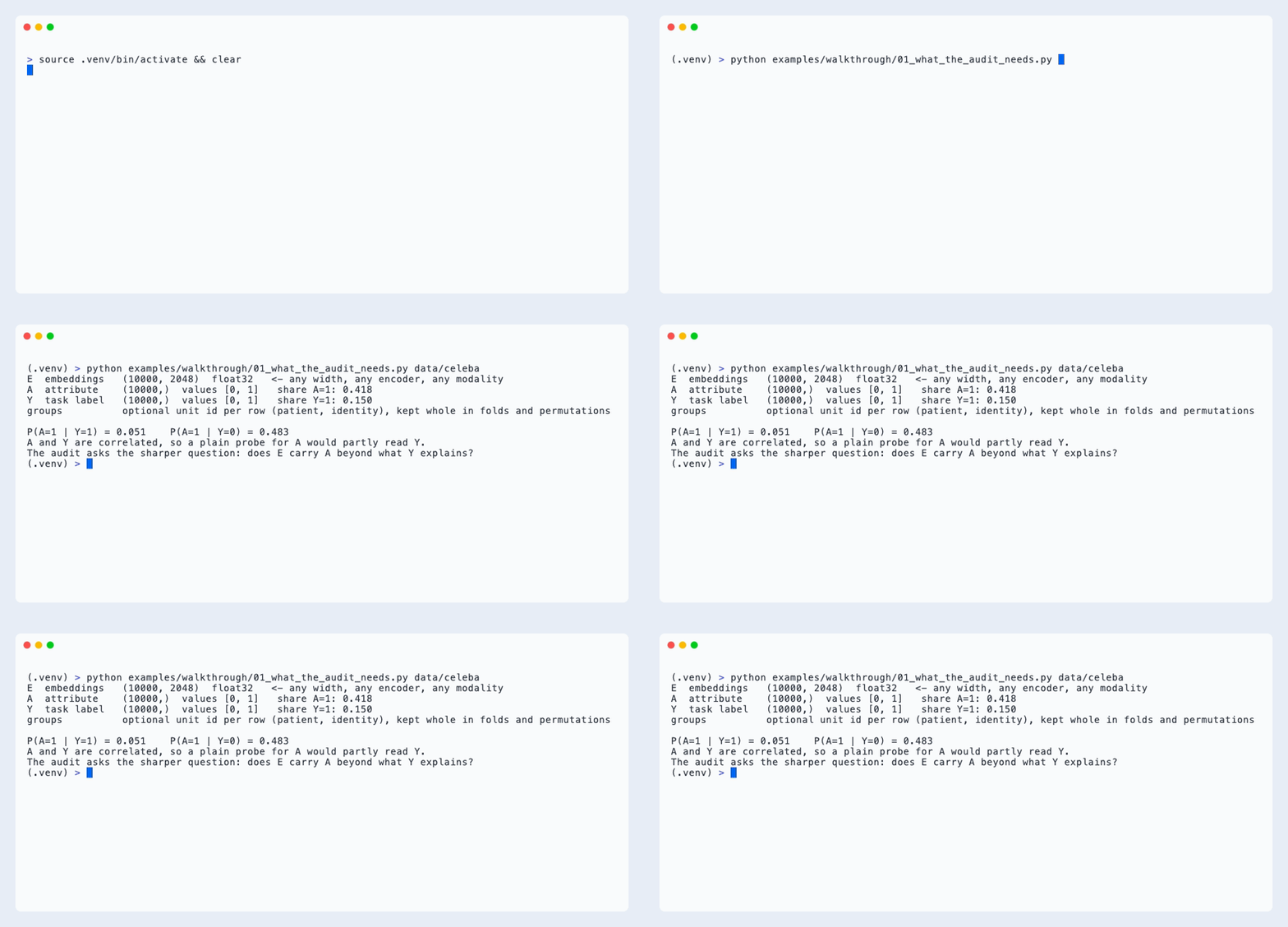
E = np.load("data/celeba/celeba_real_embeddings.npy")       # (10000, 2048)
att = pd.read_csv("data/celeba/celeba_real_attributes.csv")  # same row order
A = att["Male"].to_numpy()
Y = att["Blond_Hair"].to_numpy()
3. Any file, any encoder, any modality
The audit sees only the matrix. Embeddings saved as .npy, .csv, .parquet or a torch tensor all load to the same (n, d) array, and the width is whatever your encoder produced: 384 from a sentence model, 8 from a tabular model, 2048 from ResNet-50.
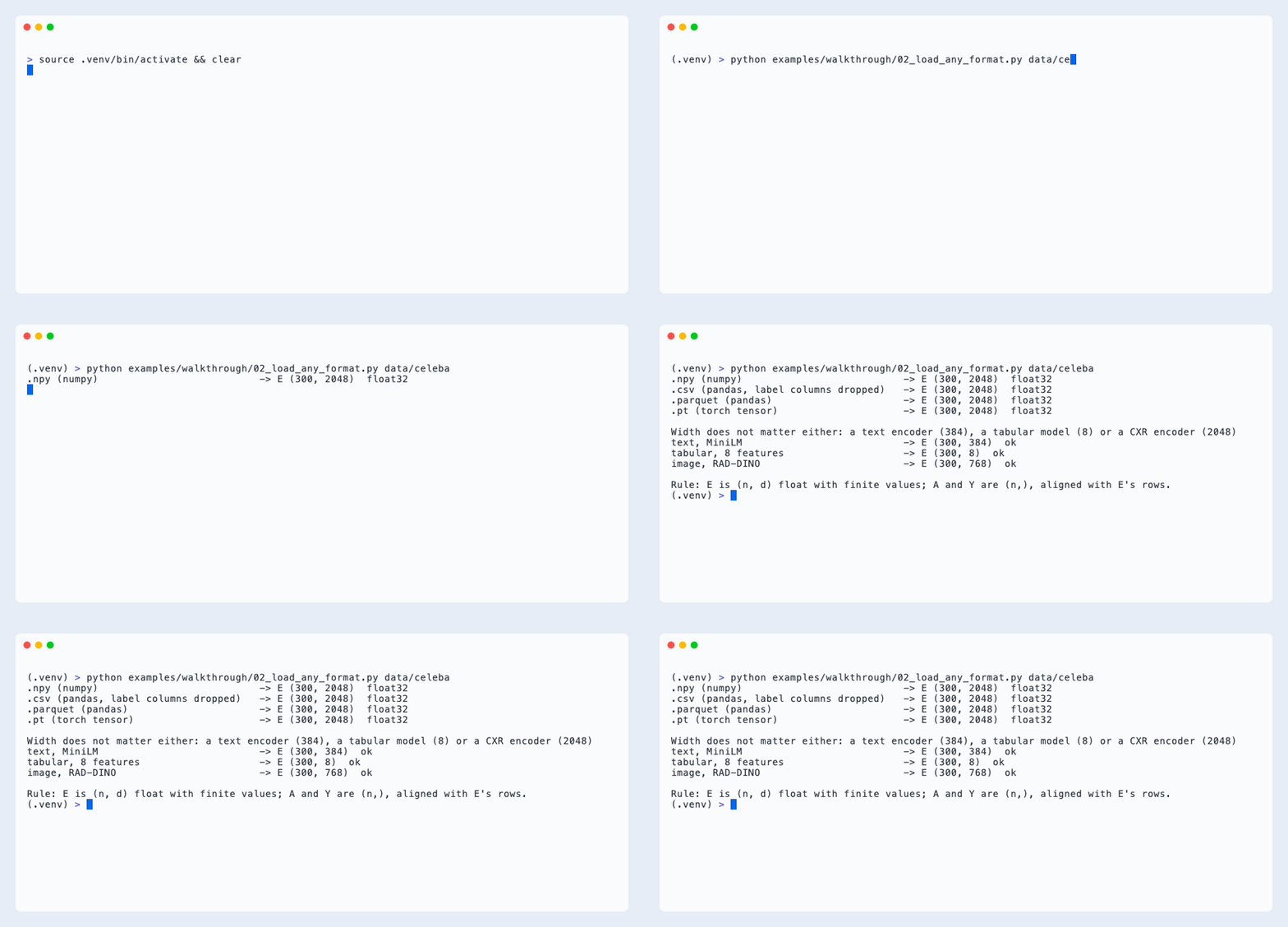
The only rules: E is 2-D float with finite values; A, Y and groups have one entry per row of E, in the same order.
4. Run the audit
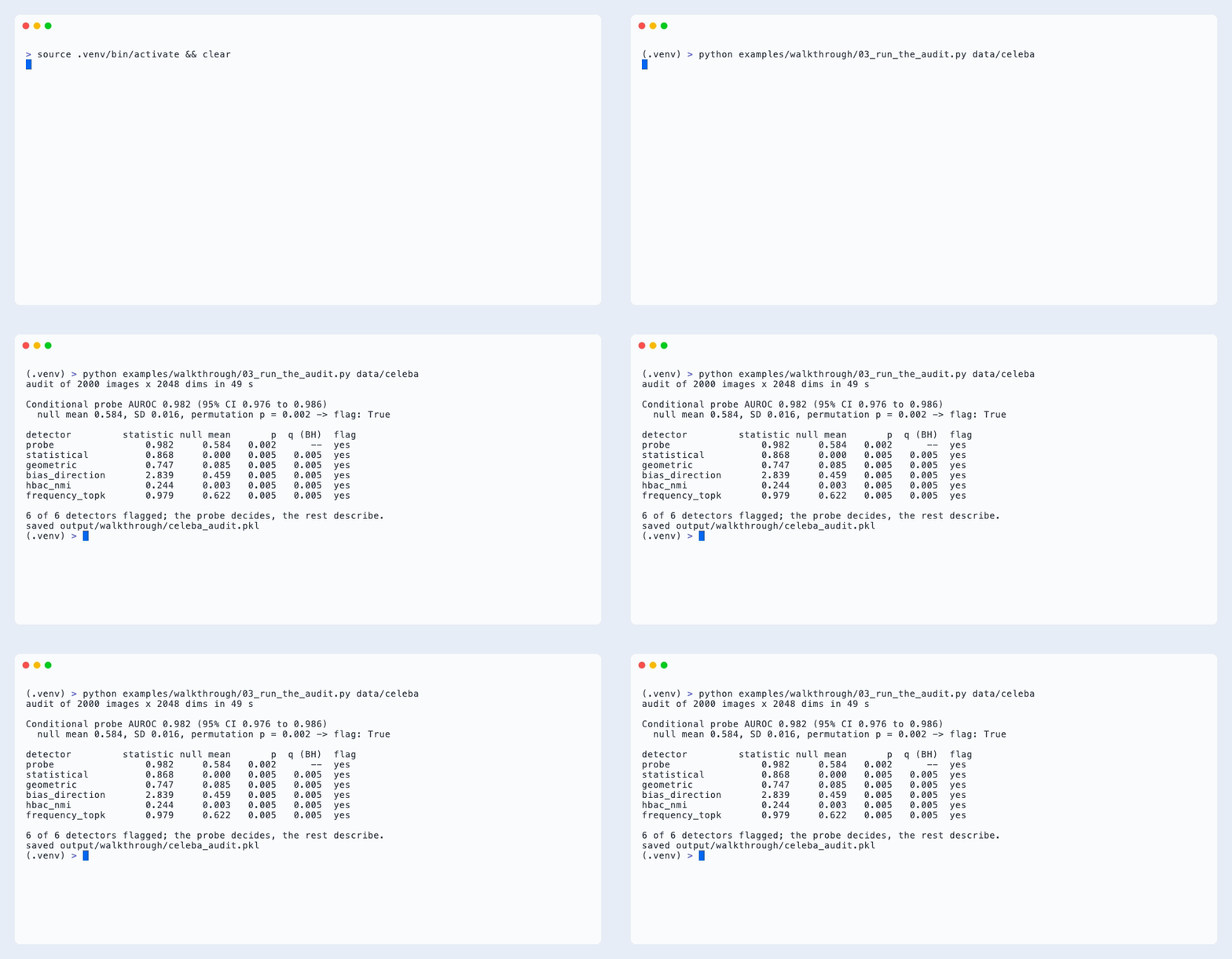
conditional_audit fits the primary test, a logistic probe predicting A from [E, Y], scores it by out-of-fold AUROC, and calibrates it by permuting A within levels of Y (between patients when groups is given). Five secondary detectors share that null and are reported as diagnostics. Default budget as in the paper: 500 permutations for the probe, 200 for the rest; about 40 s for 2,000 images of width 2,048 on a laptop CPU.
from shortcut_detect.audit import AuditConfig, conditional_audit

cfg = AuditConfig(n_permutations=200, n_permutations_probe=500, seed=42)
result = conditional_audit(E, A, Y, config=cfg)          # groups=patient_ids when needed
probe = result.results["probe"]
print(probe.statistic, probe.ci_low, probe.ci_high, probe.p_value, probe.flag)
How to read it: the probe AUROC is the score; the null mean is what that score looks like when A carries no information beyond Y; the permutation p says whether the observed score is unusual under that null. The probe decides at p < 0.05. The secondary detectors are flagged at Benjamini-Hochberg q < 0.05 across the five and describe the signal; they never change the decision.
5. Why conditioning matters
On data where A follows Y ninety per cent of the time but the embedding encodes only Y, an unconditional probe fires (it reads A through Y), while the conditional audit stays at its null. Plant an A signal and the conditional audit fires.
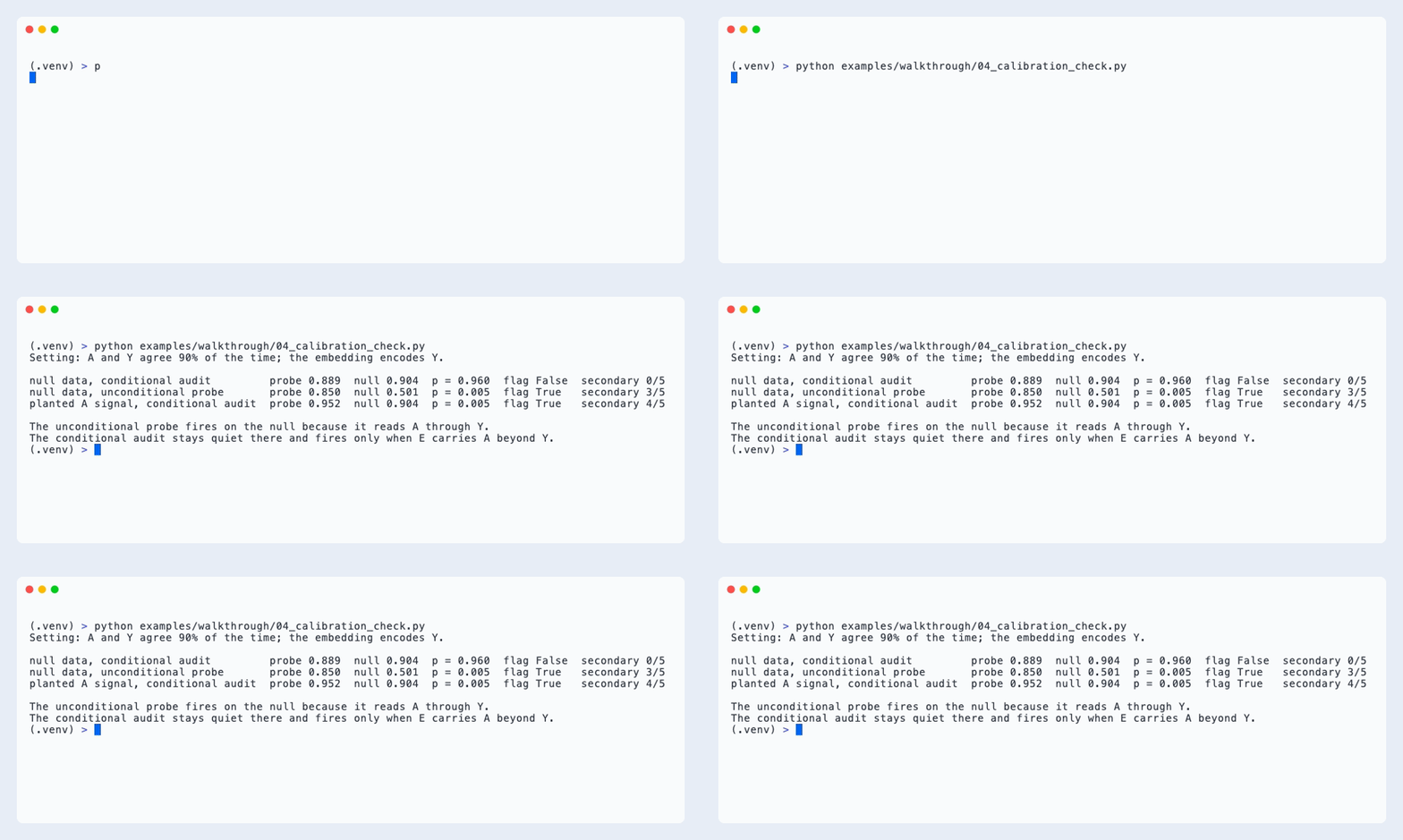
Under a true null the conditional probe rejected 2 to 3 per cent of synthetic data sets in the paper; the unconditional probe rejected 95 per cent at the same correlation.
6. The report
audit_report writes the same audit as a self-contained HTML page or a two-page PDF: the setting, a plain-language verdict, the detector table against the null, and one panel per detector.
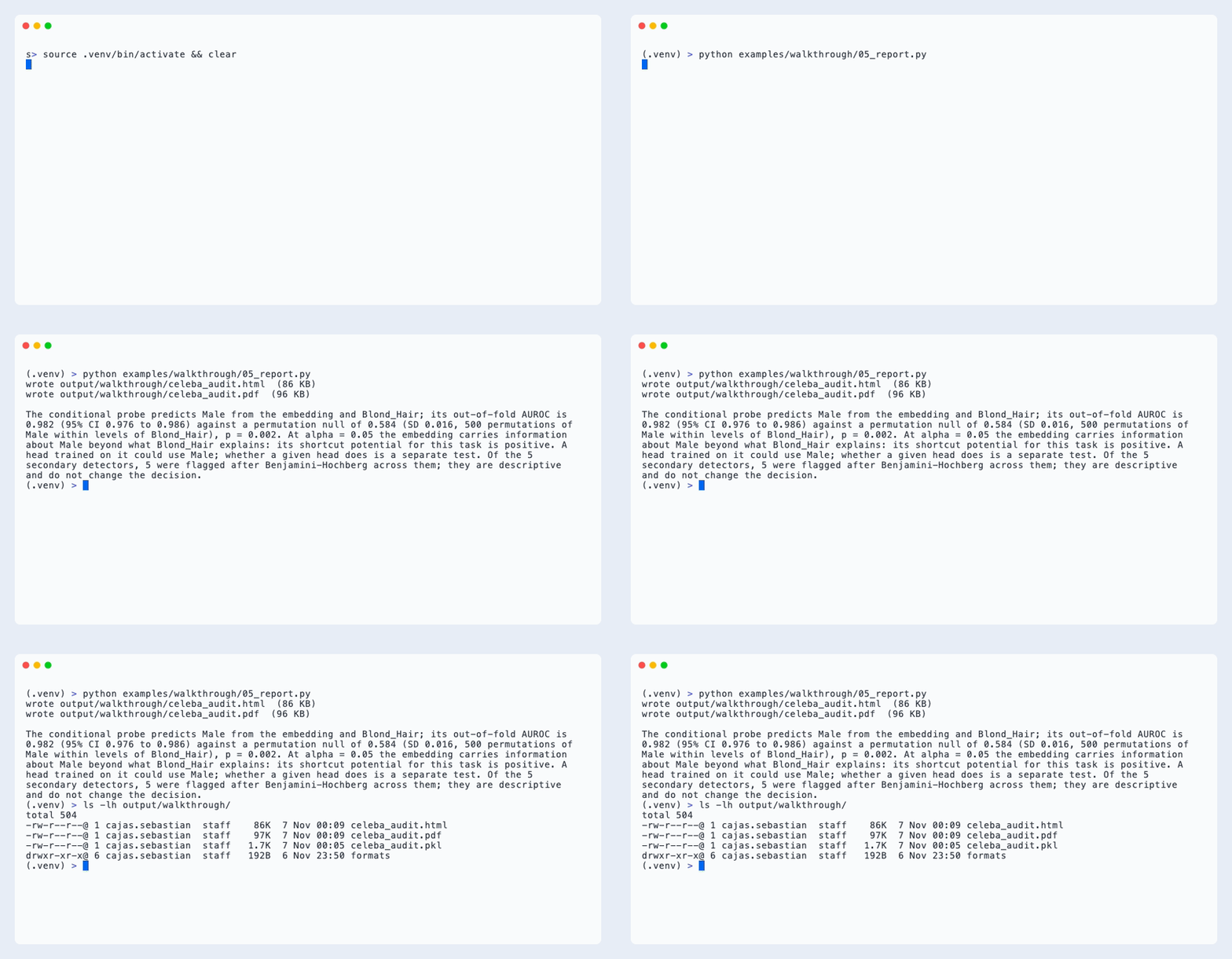
from shortcut_detect.audit.report import audit_report

audit_report(result, "celeba_audit.html", attribute="Male", task="Blond_Hair")
audit_report(result, "celeba_audit.pdf", attribute="Male", task="Blond_Hair")
7. The same audit in the dashboard
The tour in one video: install, bring your embeddings (any encoder, any modality), then the dashboard's Audit tab from a clean terminal (python app.py, the CelebA sample, the run, the verdict and the table, the PDF downloaded and read to the end), and the MCP call for agents.